

- Open your web browser and navigate to – http://localhost.
- Enter Tenant Admin Username and Password, then Click Login.

- Select Create New Application Instance, thenClick Continue.

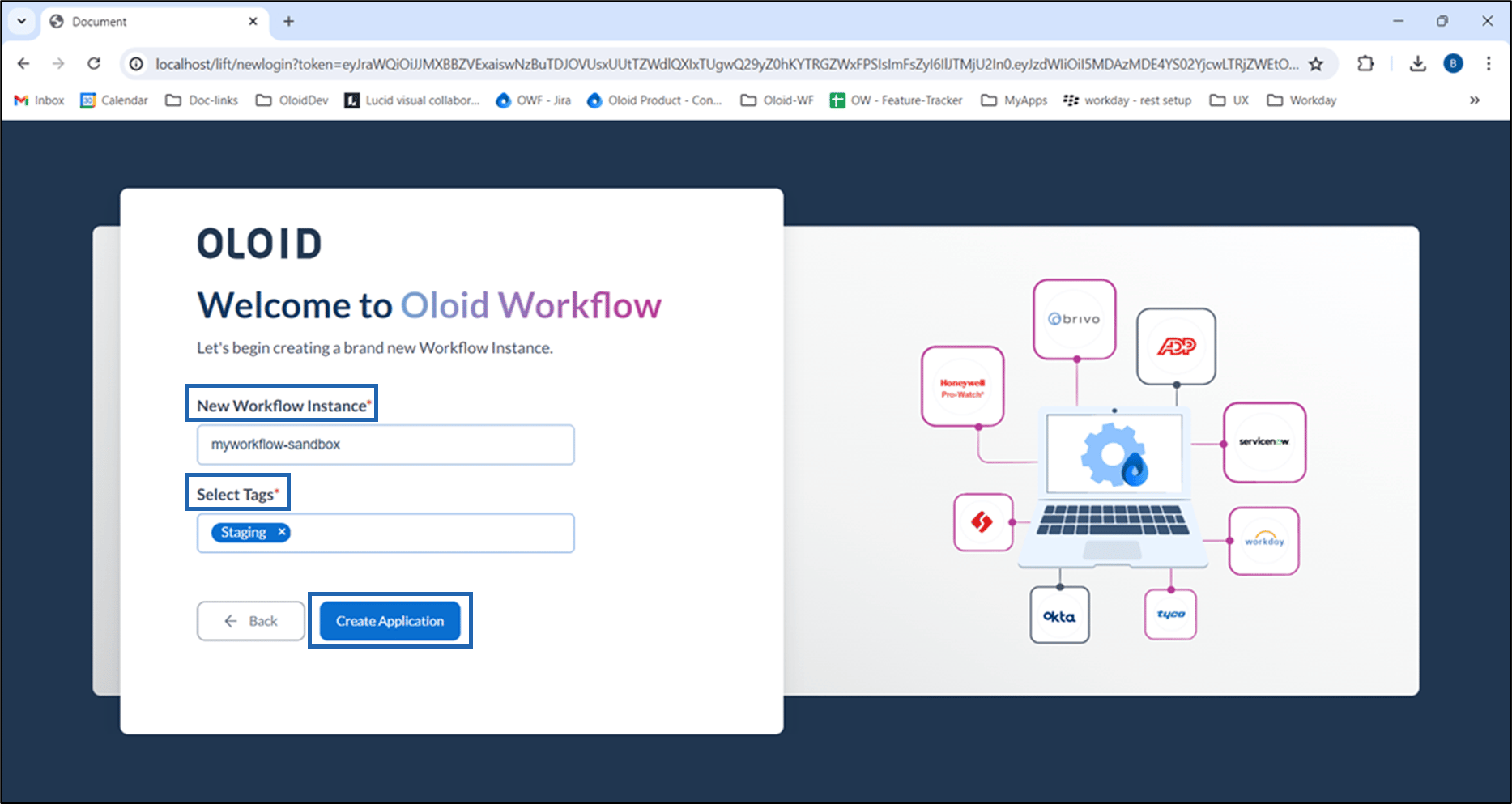
- Do the following:
- Enter name for workflow application instance in New Workflow Instance field.
- Select appropriate tag in the Select Tags field
- Click Create Application.

How to pair Oloid Workflow instance with Oloid Cloud Platform
To pair Oloid Workflow instance:
To pair Oloid Workflow instance:
⌘I