

- Log in to the Tenant Admin Portal.
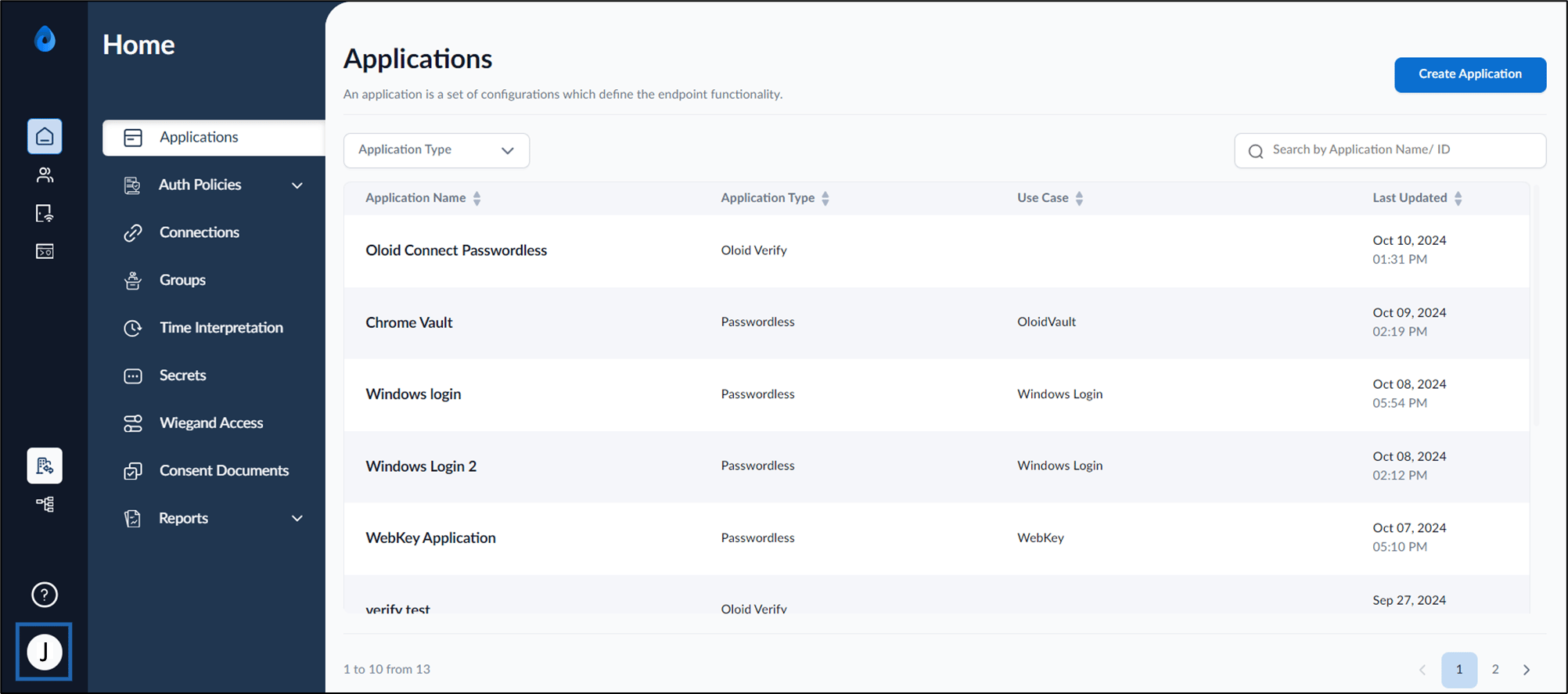
- On the homepage, click user profile icon.
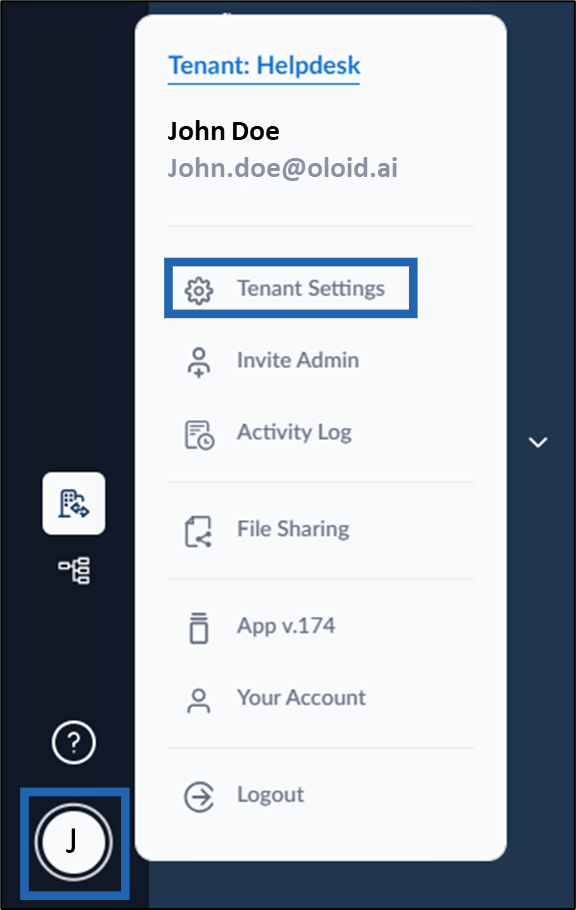
- Select Tenant Settings.
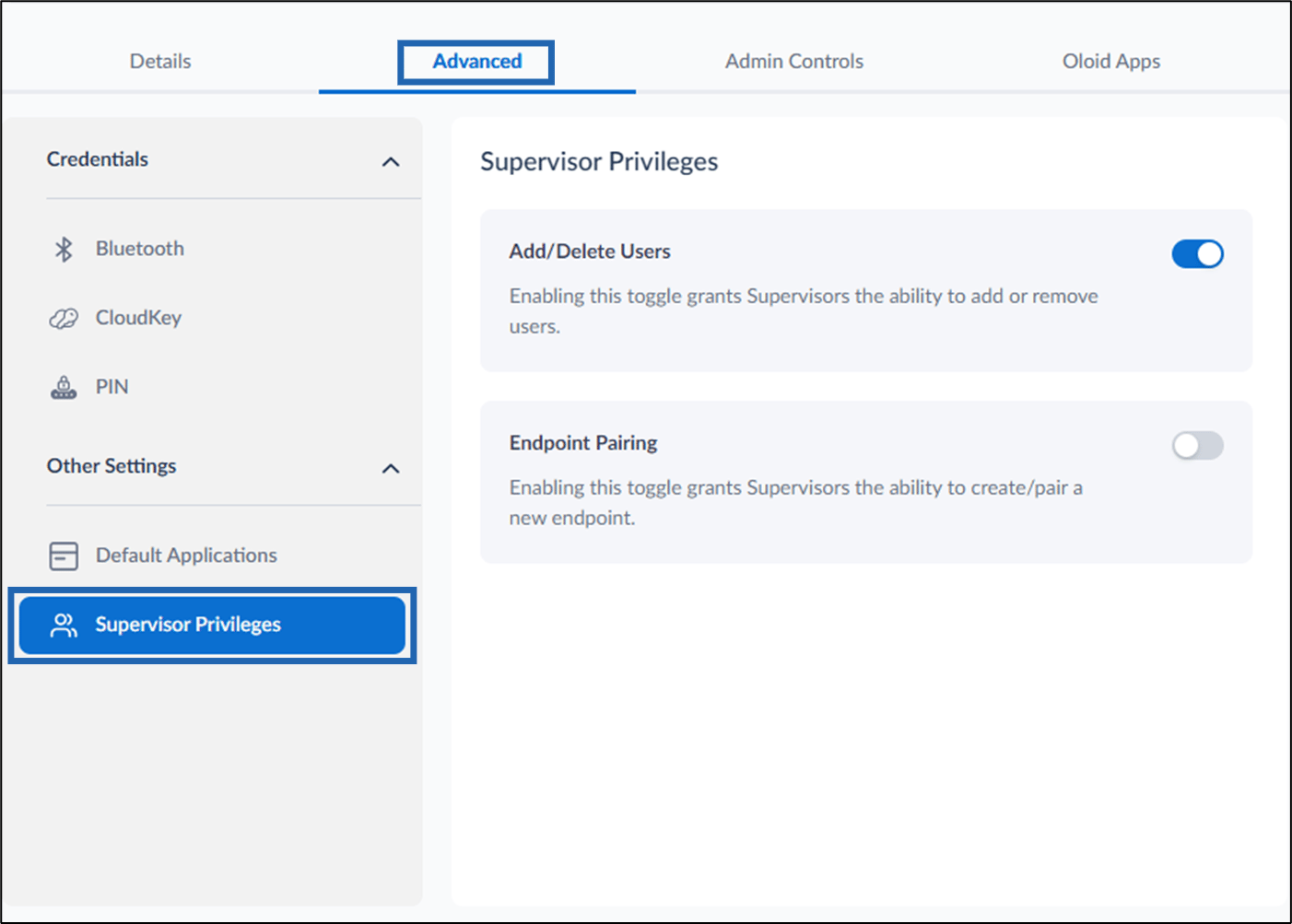
- Go to Advanced tab > Supervisor privileges.
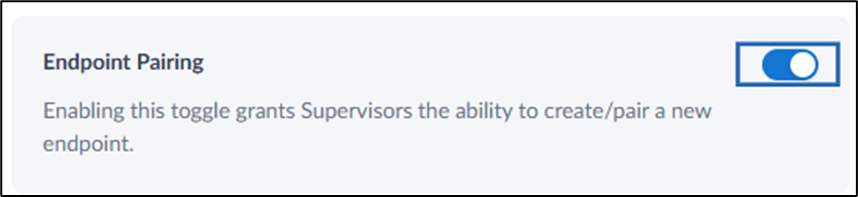
- Enable Endpoint Pairing toggle to allow supervisors to create or pair endpoints.
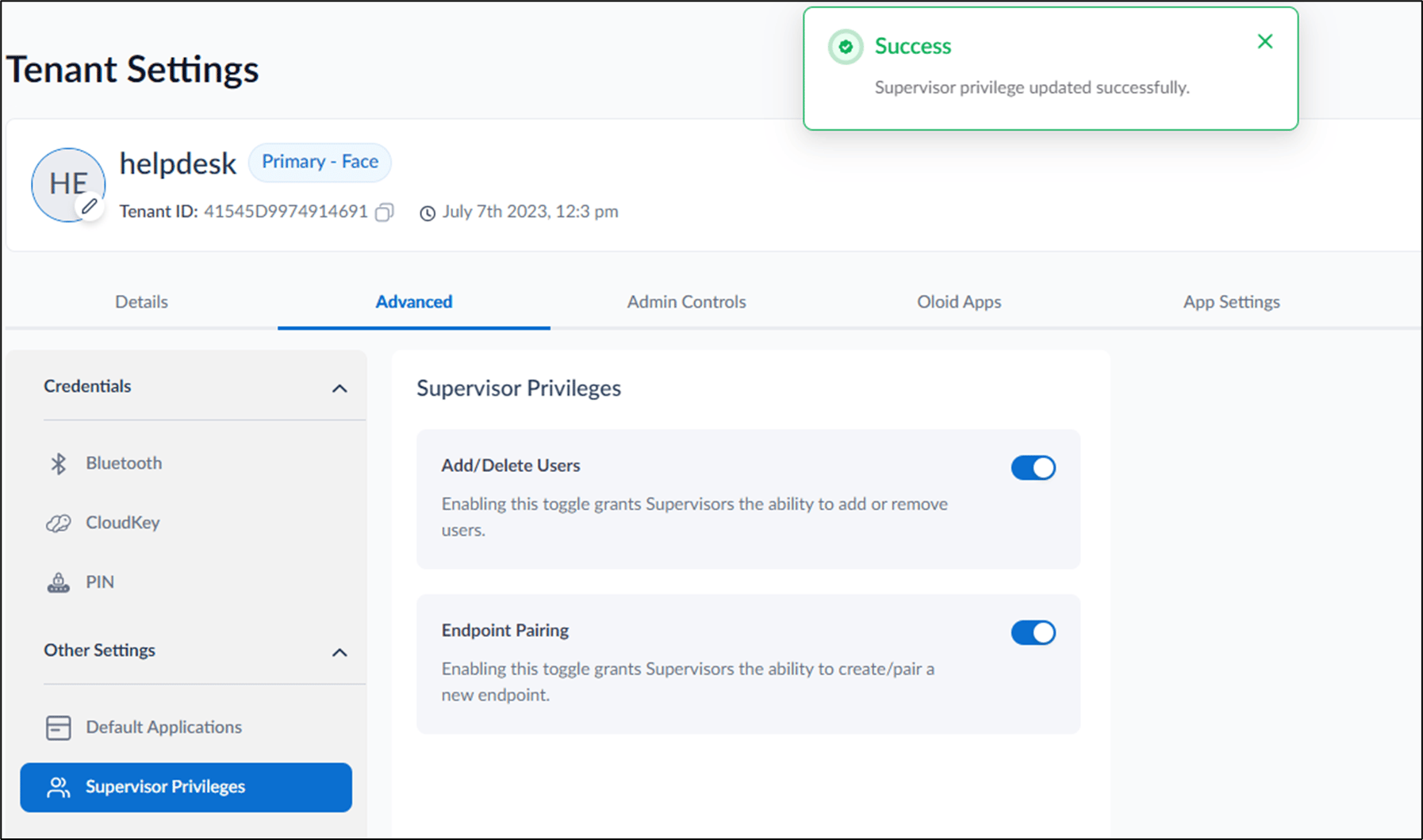
How to activate Endpoint Pairing action for Supervisor in Tenant Admin Portal
This document provides step-by-step instructions to allow the admin to grant supervisors access to create or activate endpoints.
Introduction
Enabling the Endpoint Pairing feature in the Tenant Admin Portal allows the Tenant Admin to grant access to Supervisors. Once enabled, supervisors can create or activate endpoints.
Steps to activate Endpoint Pairing action:
⌘I