Introduction

This document provides instructions to add or delete applications for a Supervisor in the Tenant Admin Portal.

Prerequisite

You must have admin access to the Tenant Admin Portal.

Steps to Assign Application to Supervisor

  1. Log in to the Tenant Admin Portal.
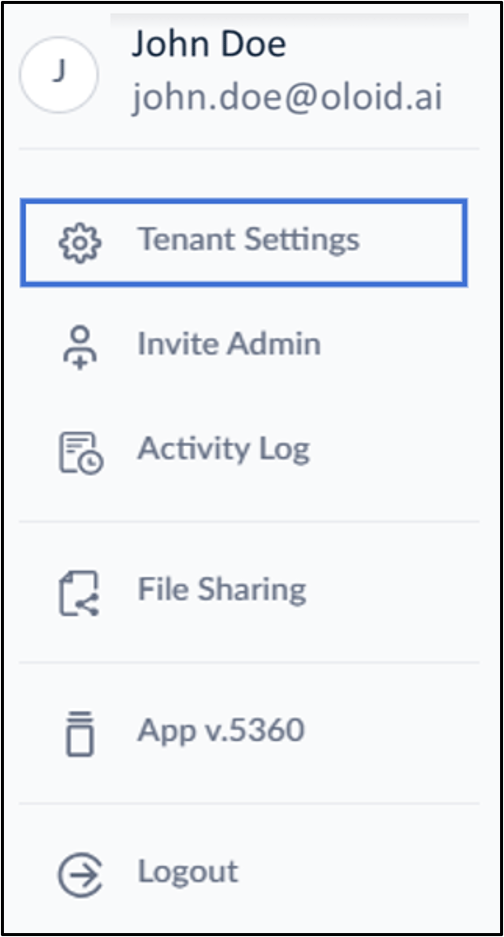
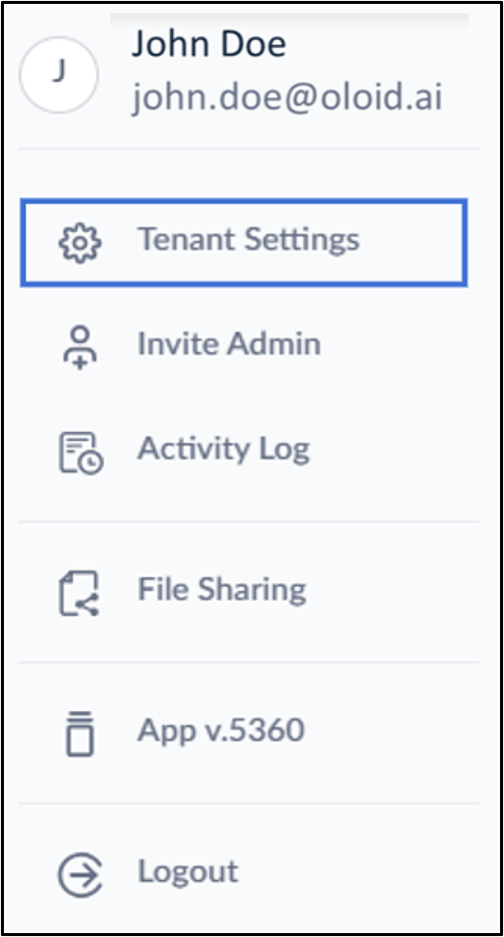
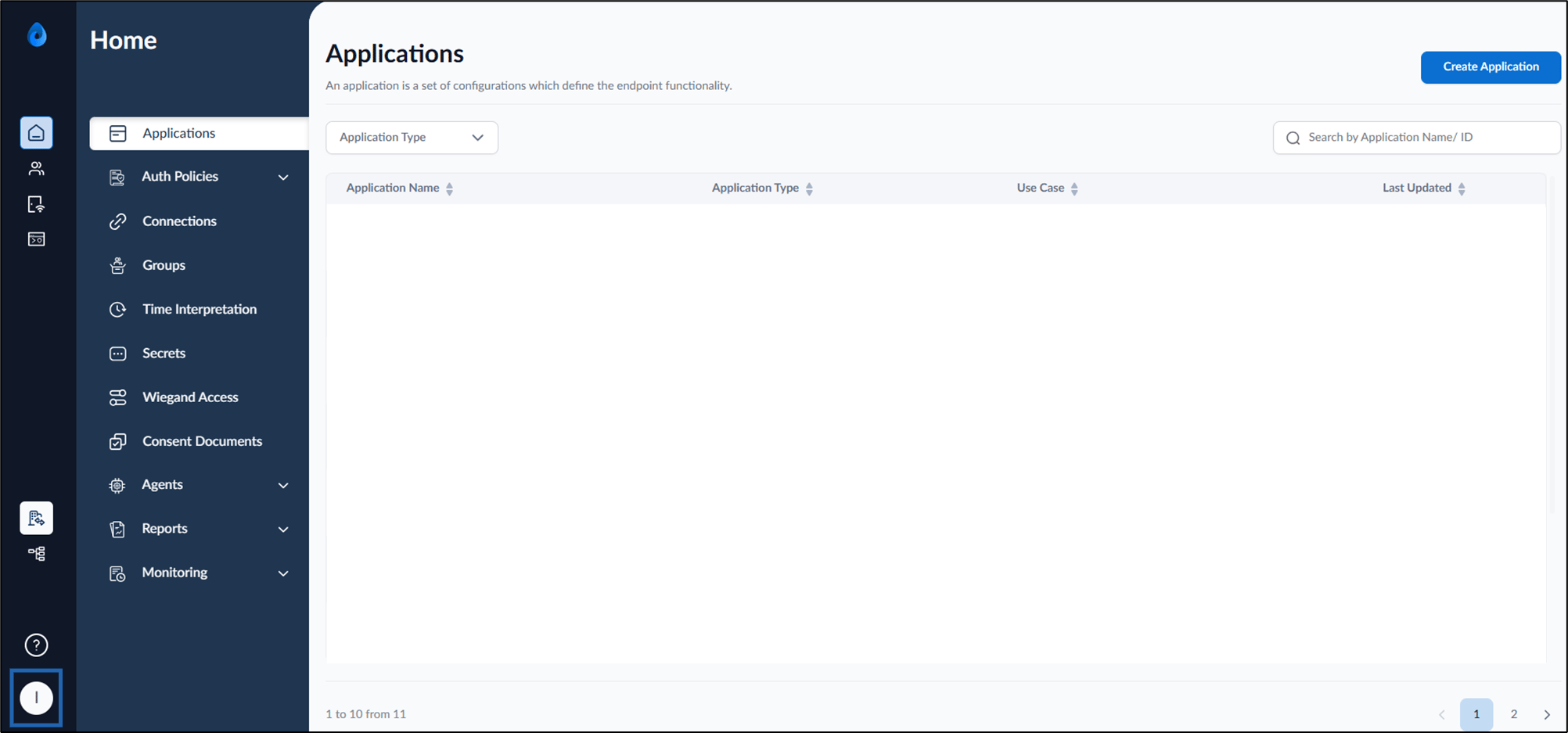
  2. On the homepage of the portal, click user profile icon on the bottom left. How to Add or Delete Applications for a... - screenshot 1 The user profile menu is displayed.
  3. Click Tenant Settings. How to Add or Delete Applications for a... - screenshot 2 The Tenant Settings page is displayed.
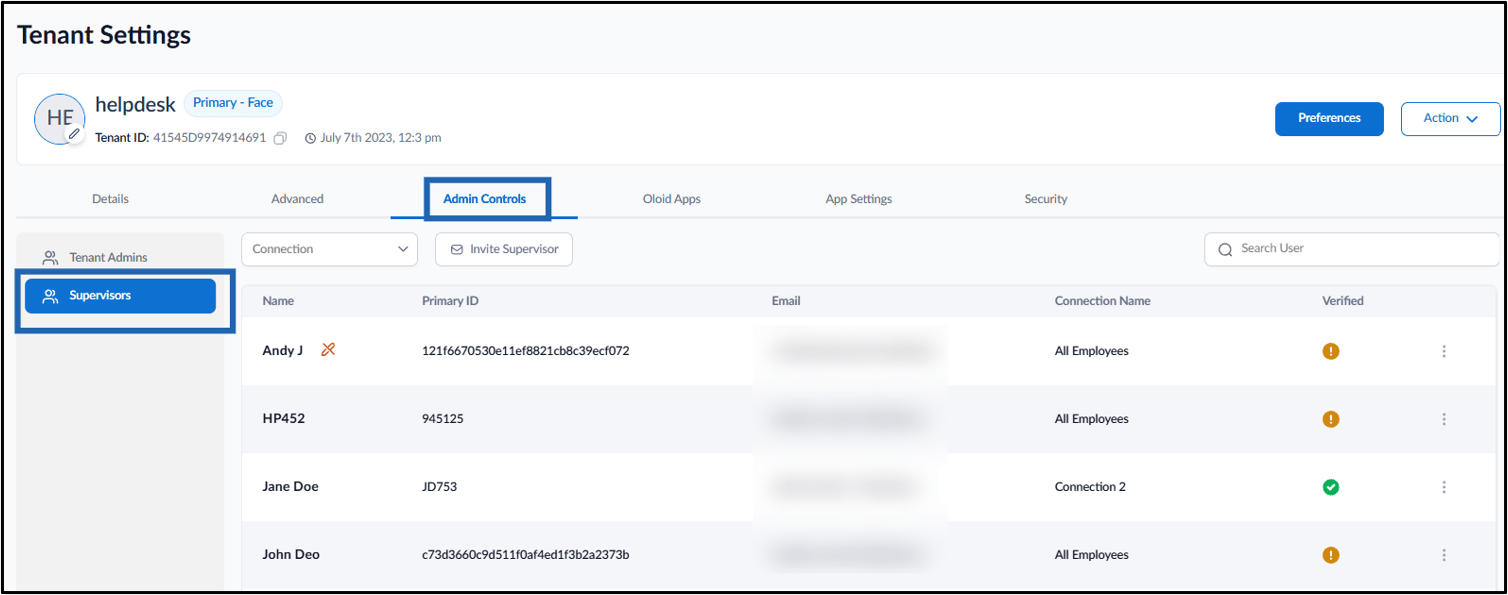
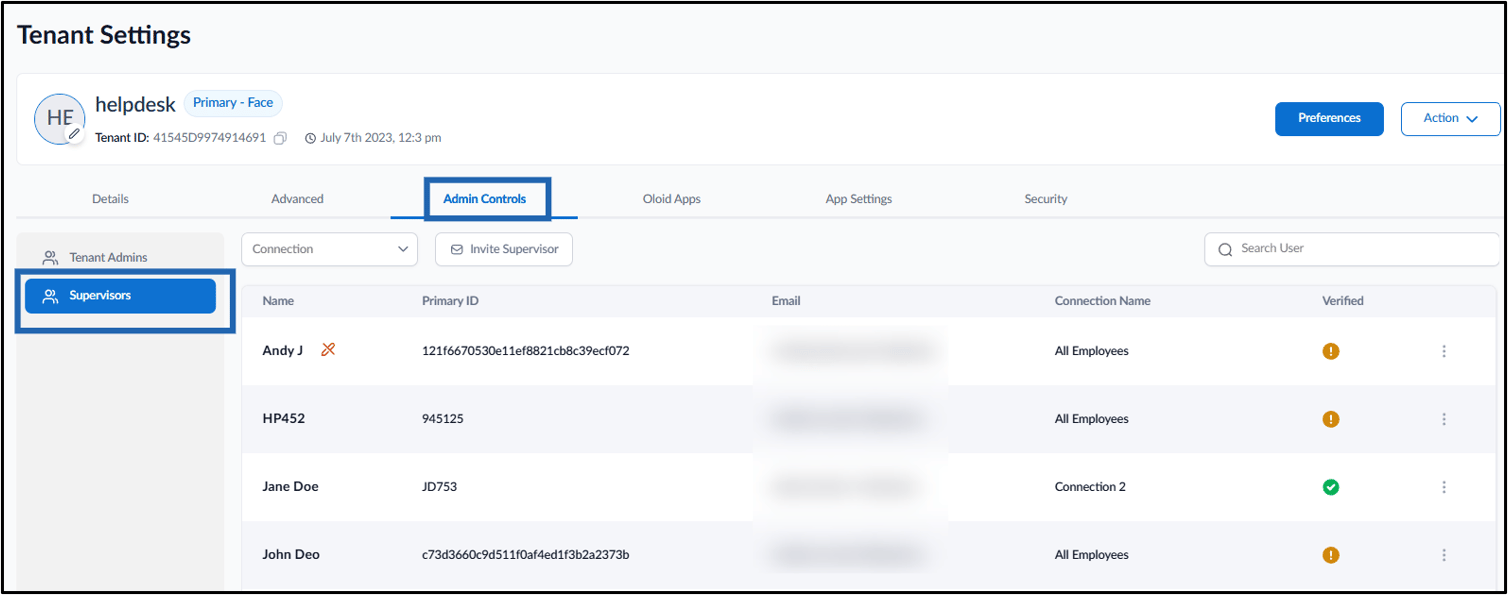
  4. Go to Admin Controls > Supervisors. How to Add or Delete Applications for a... - screenshot 3
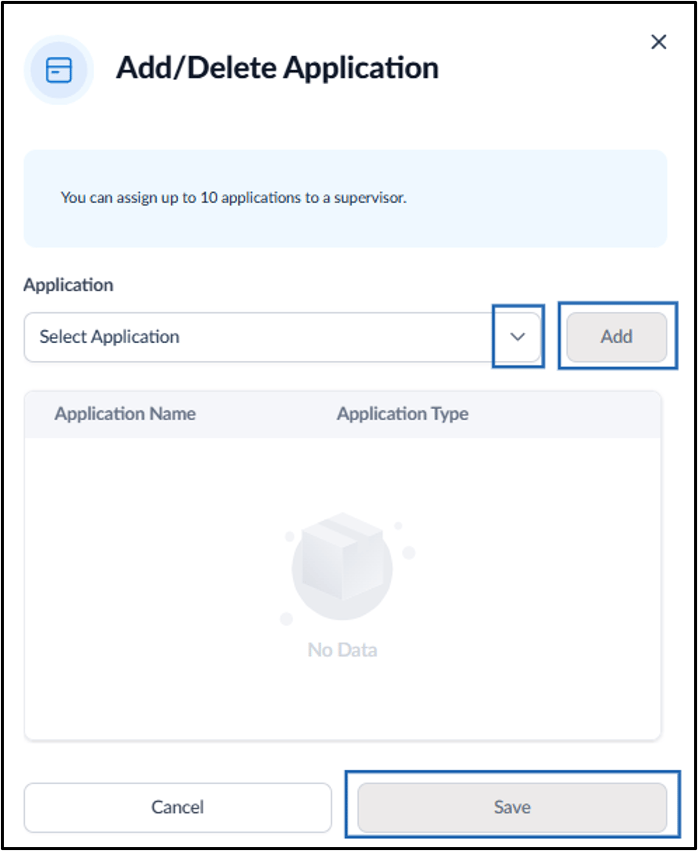
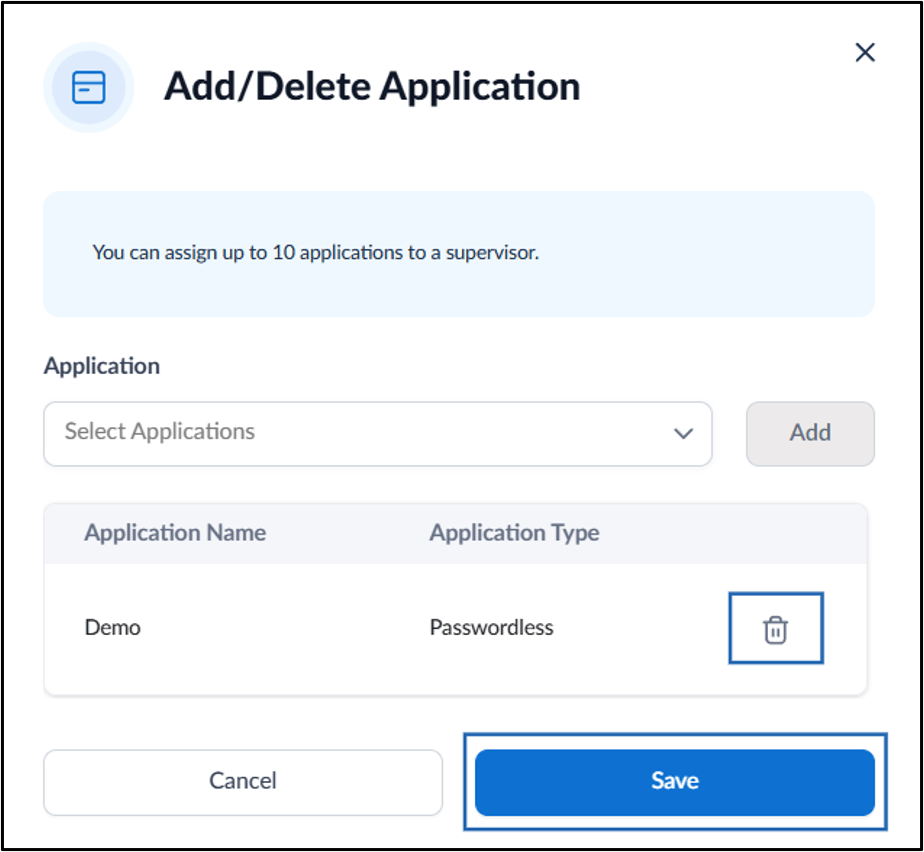
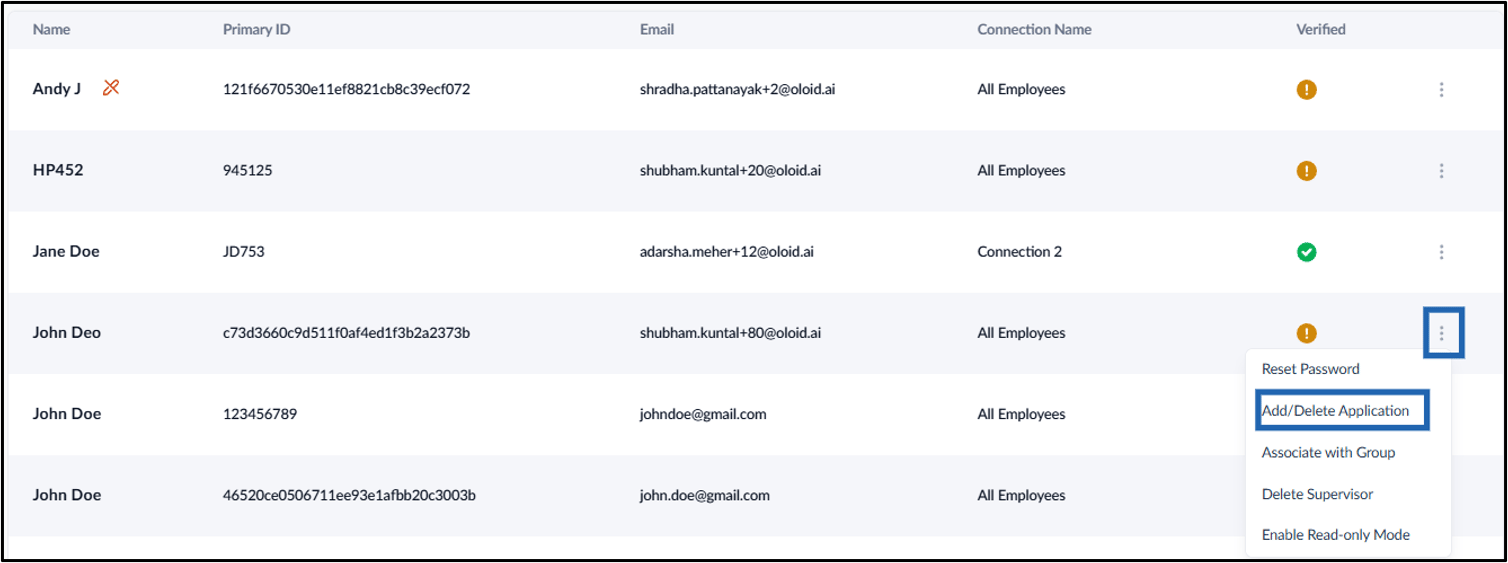
  5. Go to kebab menu (three dots) of the selected Supervisor > click Add/Delete Application. How to Add or Delete Applications for a... - screenshot 4 The Add/Delete Application pop-up box is displayed.
  6. Do the following:
    1. Select the Application from the drop-down.
    2. Click Add.
    3. Click Save How to Add or Delete Applications for a... - screenshot 5
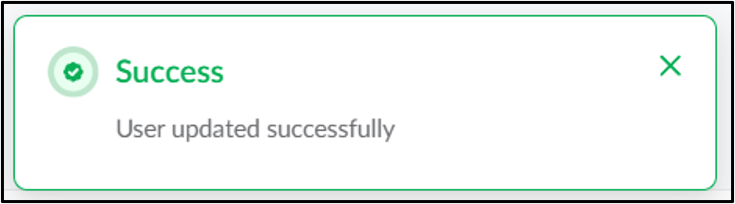
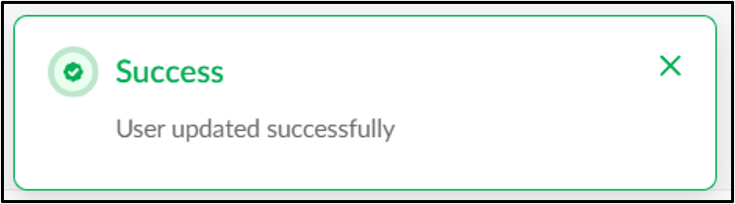
The application is assigned successfully to the Supervisor. How to Add or Delete Applications for a... - screenshot 6

Steps to Delete an Application

  1. Log in to the Tenant Admin Portal.
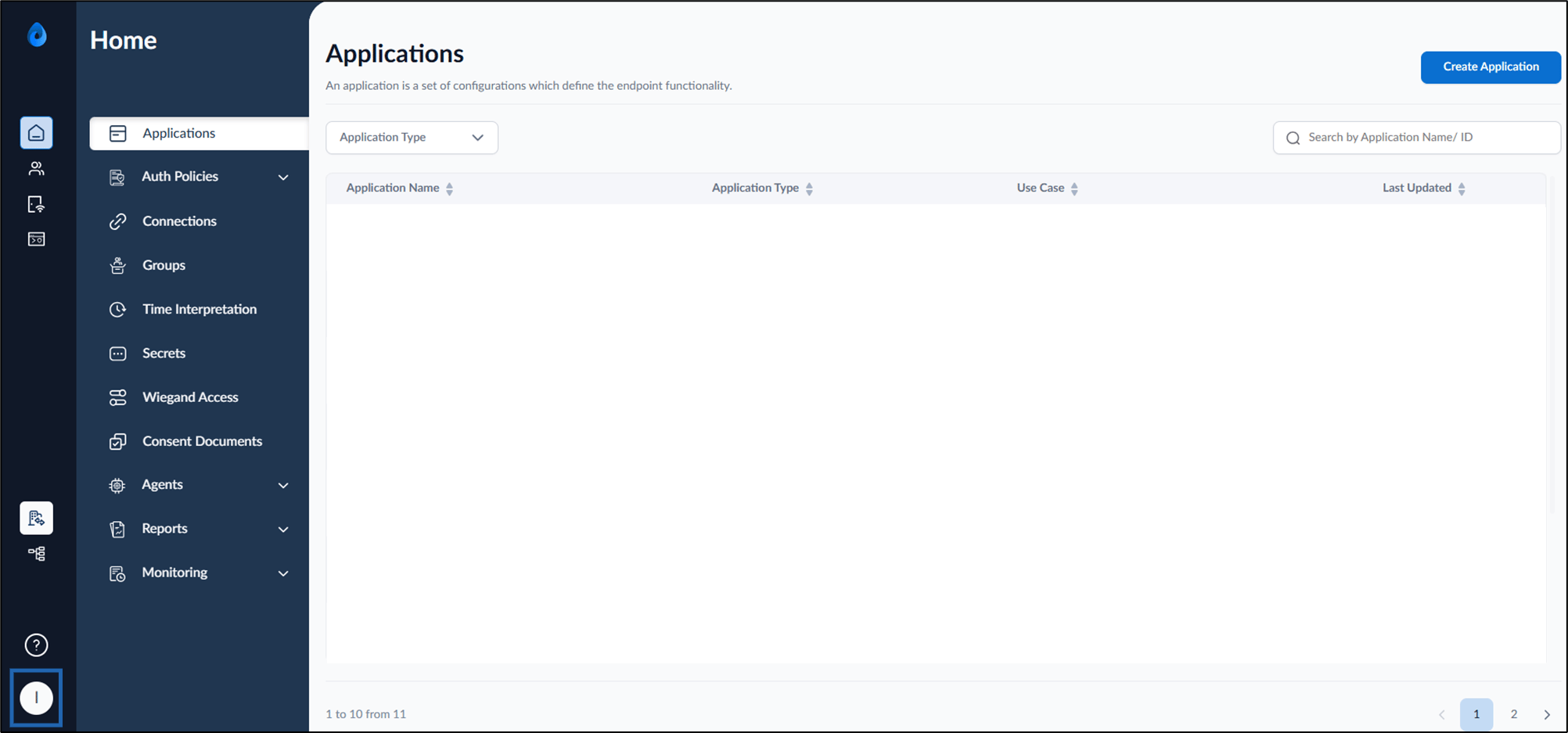
  2. On the homepage of the portal, click user profile icon on the bottom left. How to Add or Delete Applications for a... - screenshot 7 The user profile menu is displayed.
  3. Click Tenant Settings. How to Add or Delete Applications for a... - screenshot 8 The Tenant Settings page is displayed.
  4. Go to Admin Controls > Supervisors. How to Add or Delete Applications for a... - screenshot 9
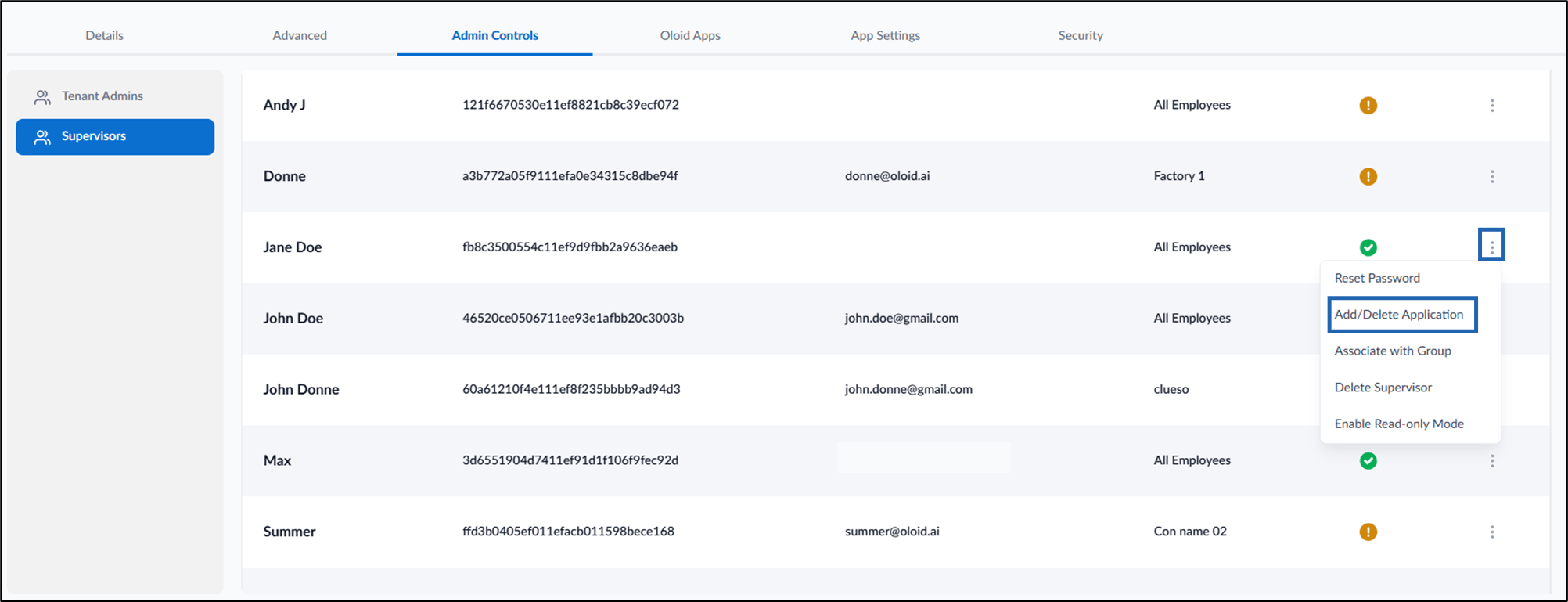
  5. Go to kebab menu (three dots) of the selected Supervisor > click Add/Delete Application. How to Add or Delete Applications for a... - screenshot 10 The Add/Delete Application pop-up box is displayed.
  6. Click Delete icon > click Save. How to Add or Delete Applications for a... - screenshot 11
The application is removed from the Supervisor’s access. The Supervisor can no longer view users associated with the application. How to Add or Delete Applications for a... - screenshot 12