Factor Sequence helps set up rules for *multi-factor authentication in Oloid applications. It determines the order and combination of these methods to make sure that the authentication process is effective and secure. *Multi-Factor Authentication (MFA) is a security process that requires users to authenticate their identity using two or more verification methods.

Steps to create Factor Sequence

  1. Log in to the Oloid Portal. The homepage is displayed. How to create and configure Factor... - screenshot 1
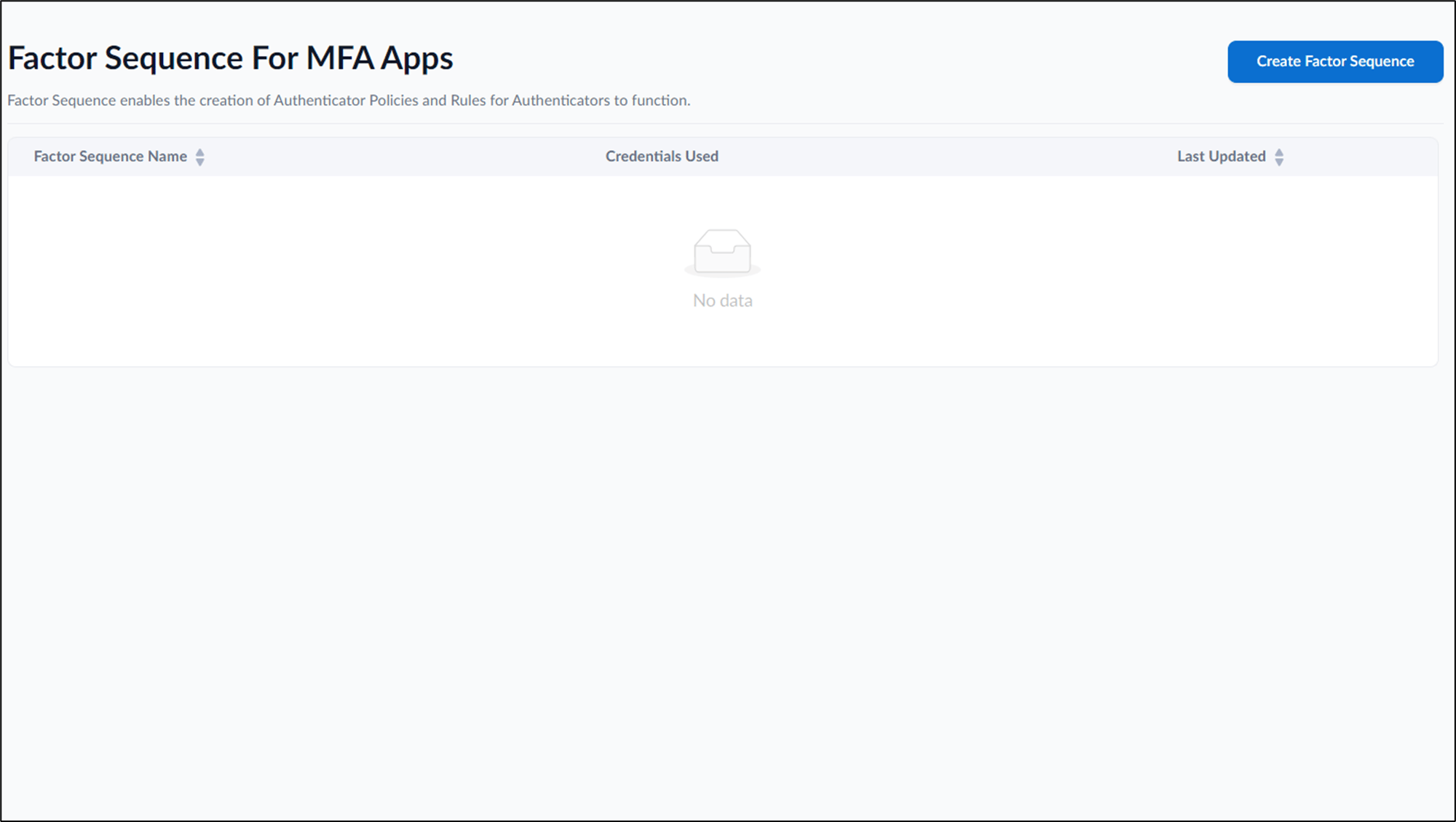
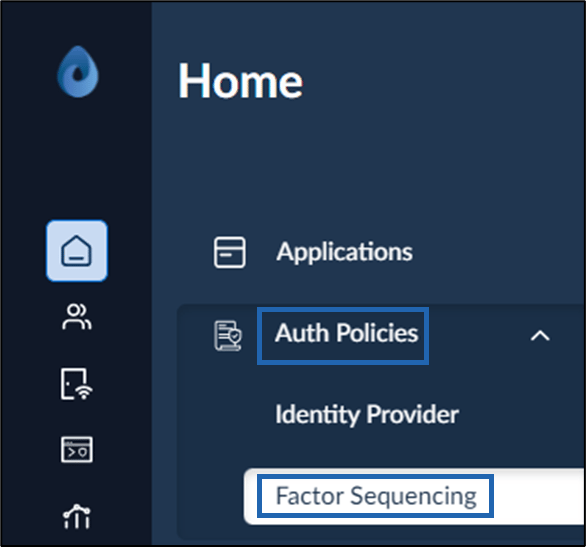
  2. Click Auth Policies > Factor Sequencing from the menu panel. How to create and configure Factor... - screenshot 2 The Factor Sequence for MFA Apps page is displayed. How to create and configure Factor... - screenshot 3
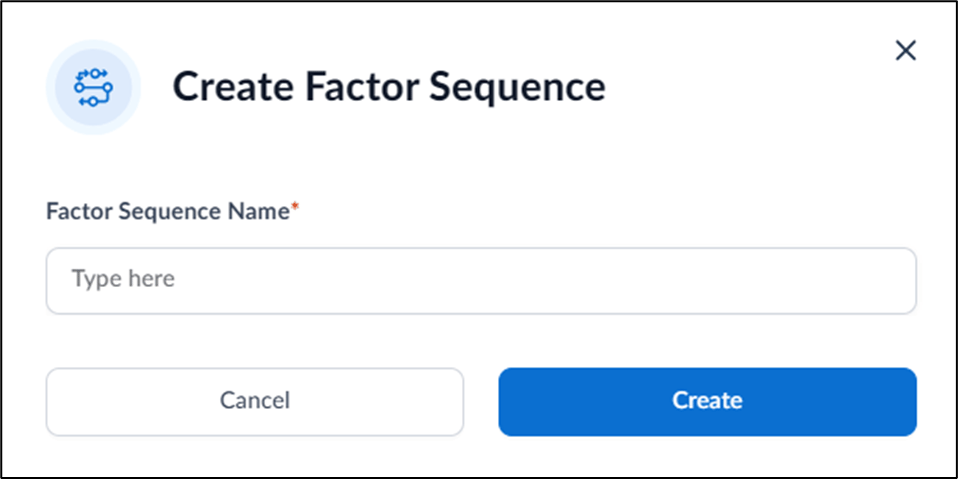
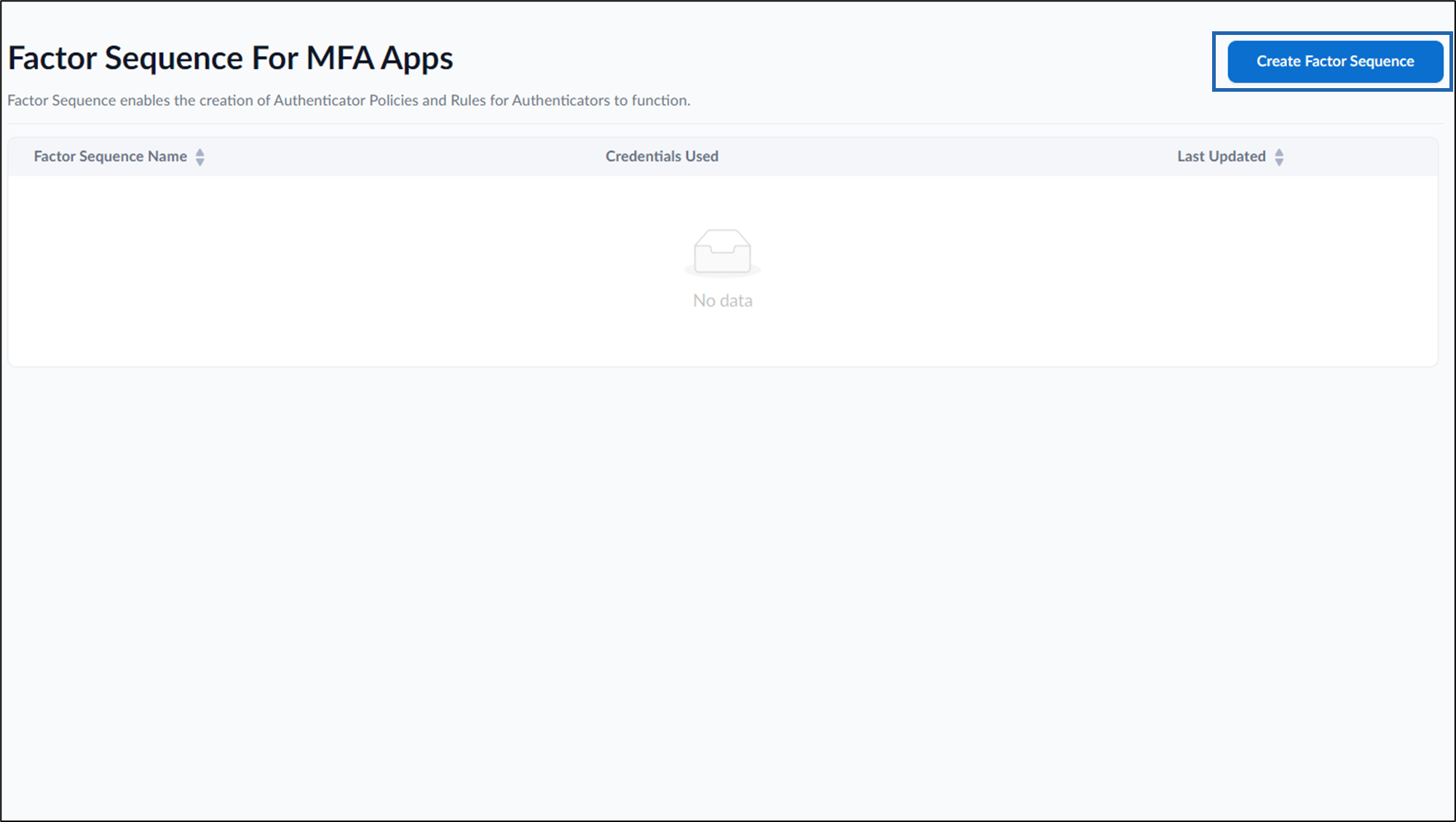
  3. Click Create Factor Sequence in the top right. How to create and configure Factor... - screenshot 4 The Create Factor Sequence pop-up box is displayed. How to create and configure Factor... - screenshot 5
  4. Enter Factor Sequence Name in the text field.
  5. Click Create. The Factor Sequence is created and the configuration page is displayed.
  6. Do the following to configure Factor Sequence:
    1. Configure Details tab
    2. Configure Policy Rules tab The Factor Sequence is configured.

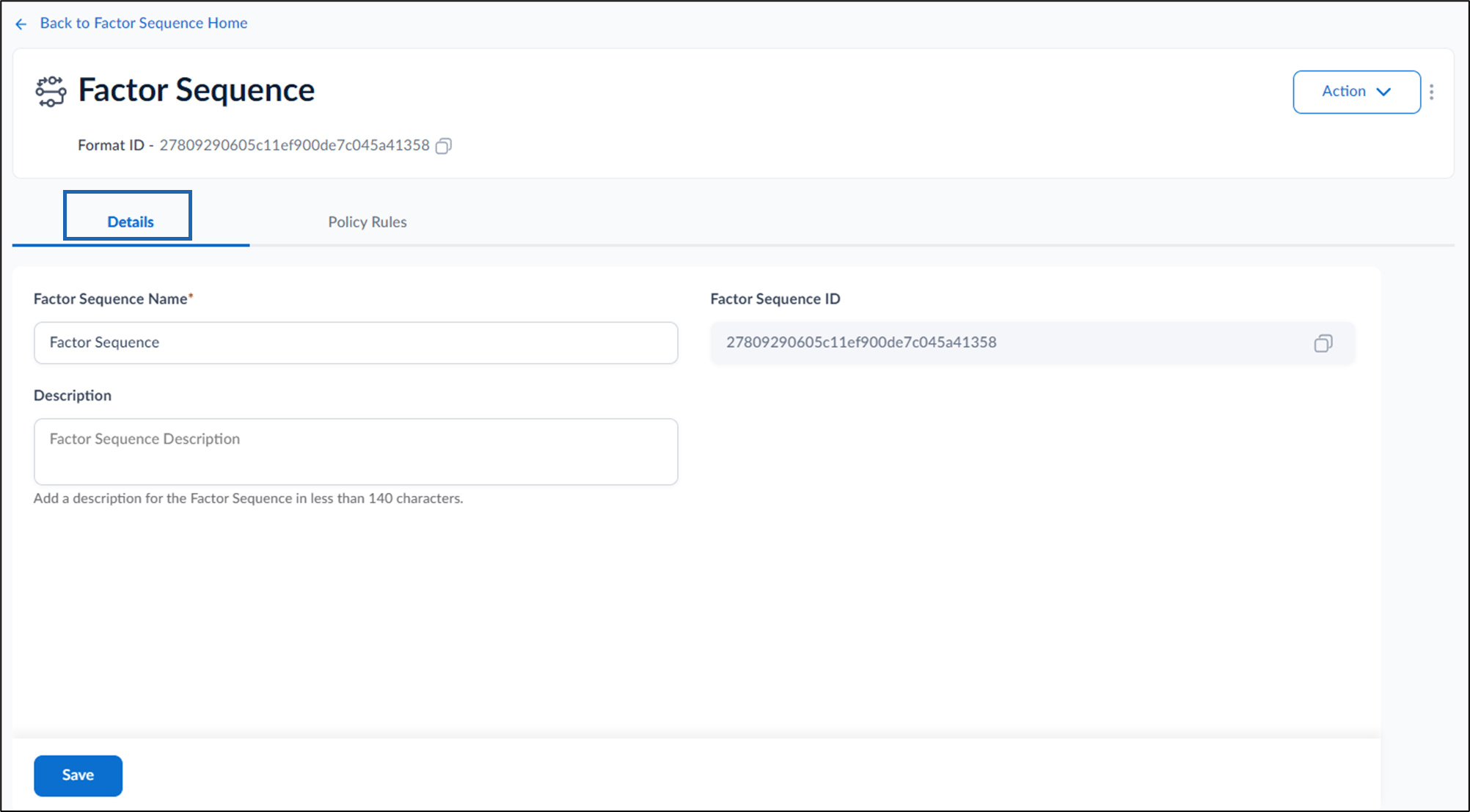
Configure Details Tab

  1. Enter Factor Sequence Name.
  2. Enter Factor Sequence Description.(Optional)
  3. Click Save. How to create and configure Factor... - screenshot 6

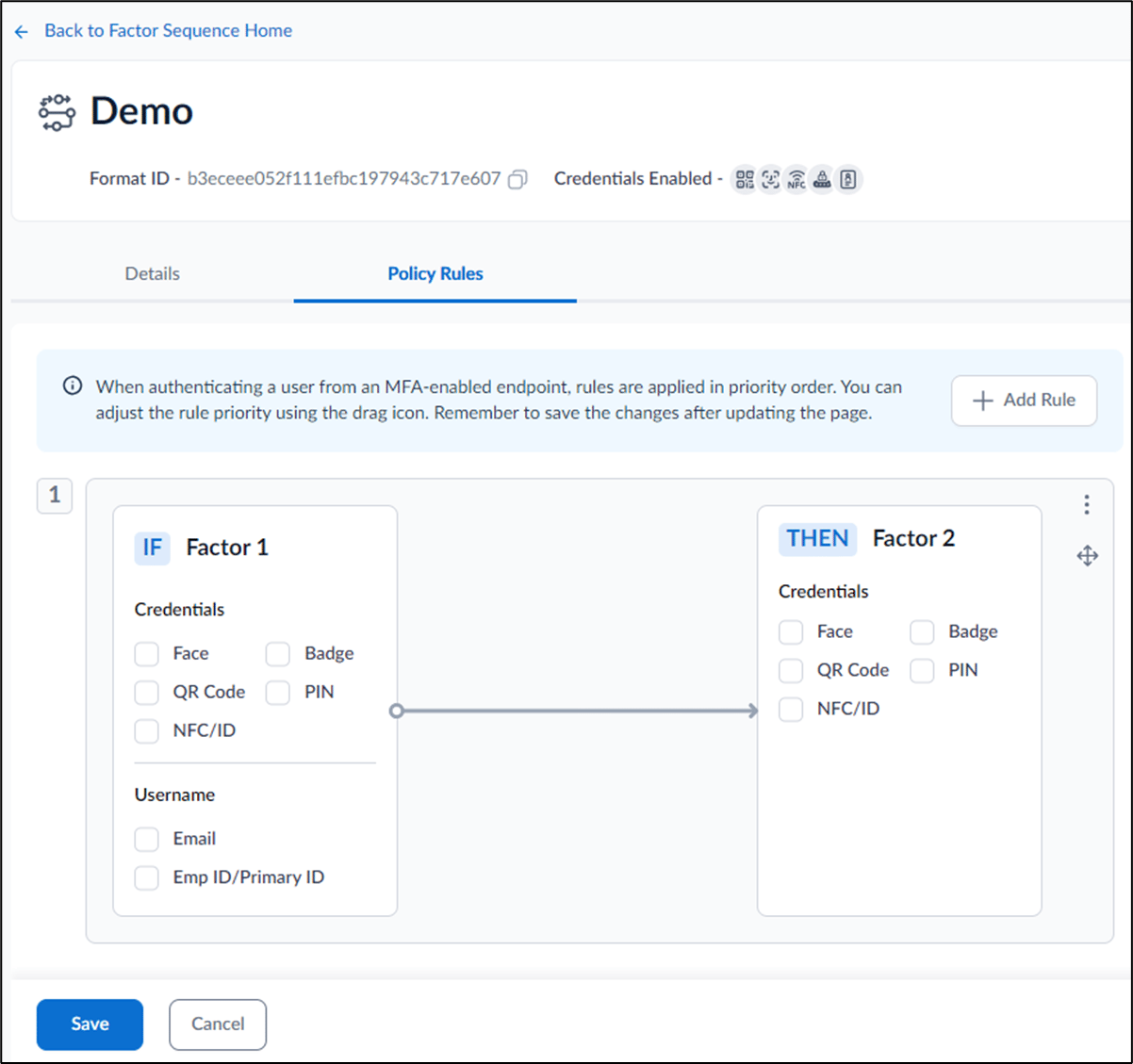
Configure Policy Rules Tab

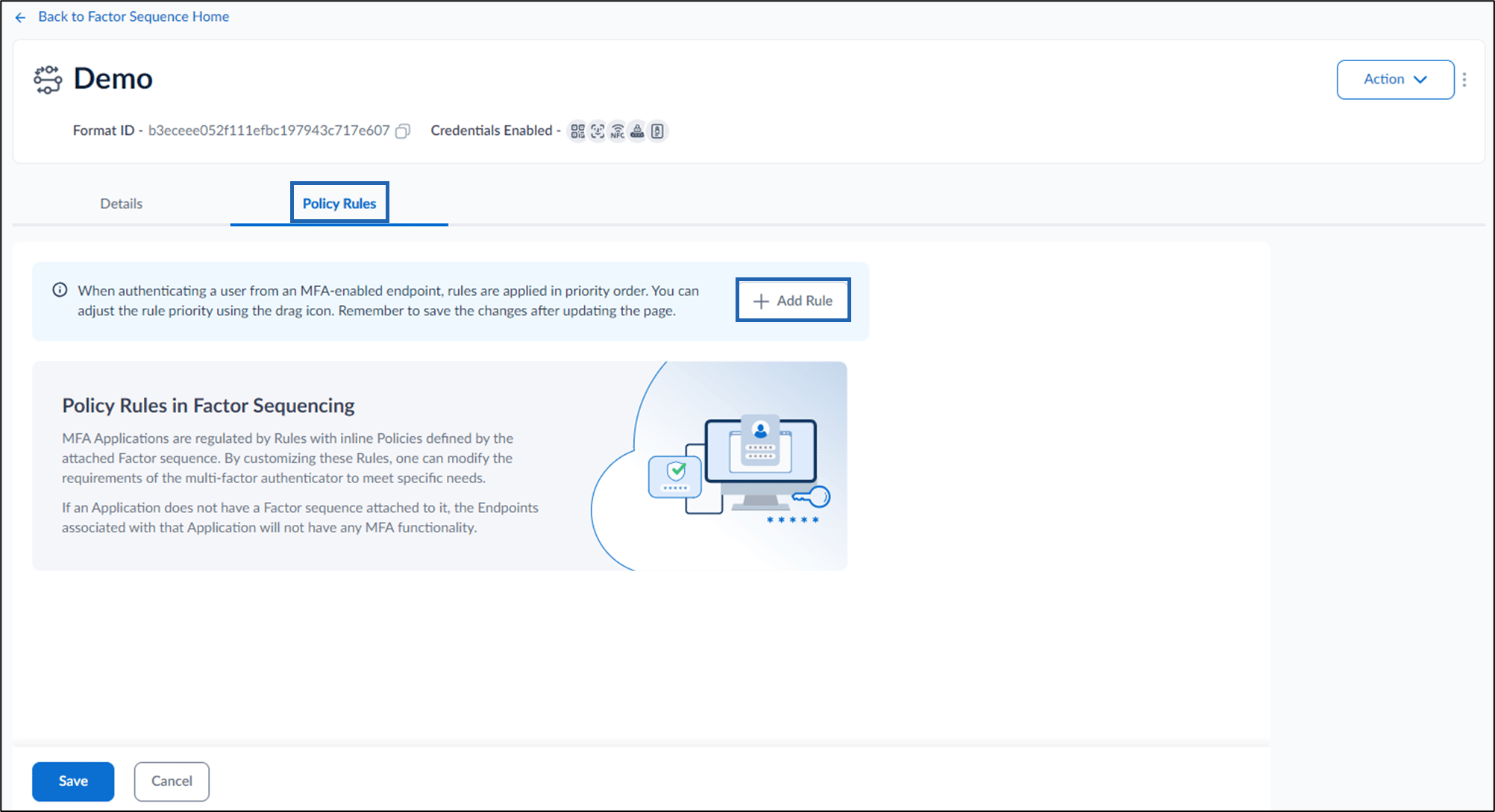
  1. Go to Policy Rules > Add Rule to create a new policy rule. How to create and configure Factor... - screenshot 7 The IF Factor 1 and THEN Factor 2 section is displayed How to create and configure Factor... - screenshot 8
  2. Select preferred credentials under Factor 1 and Factor 2.
  3. Click Save. The Policy Rules is saved Successfully. For detailed instructions, refer How to add Policy Rules for Factor Sequencing