

- Log in to the Oloid Portal.
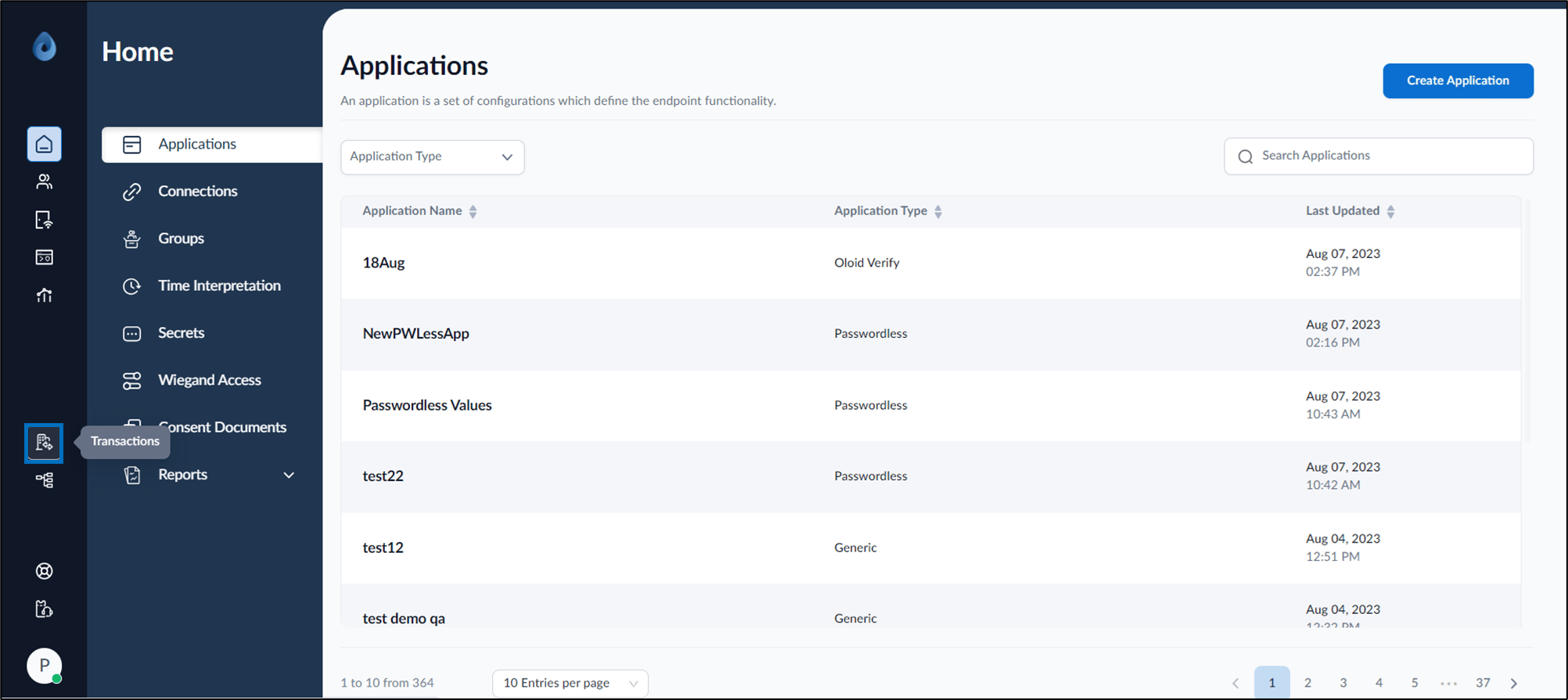
- On the home page of the portal, click Transactions on the left menu panel.
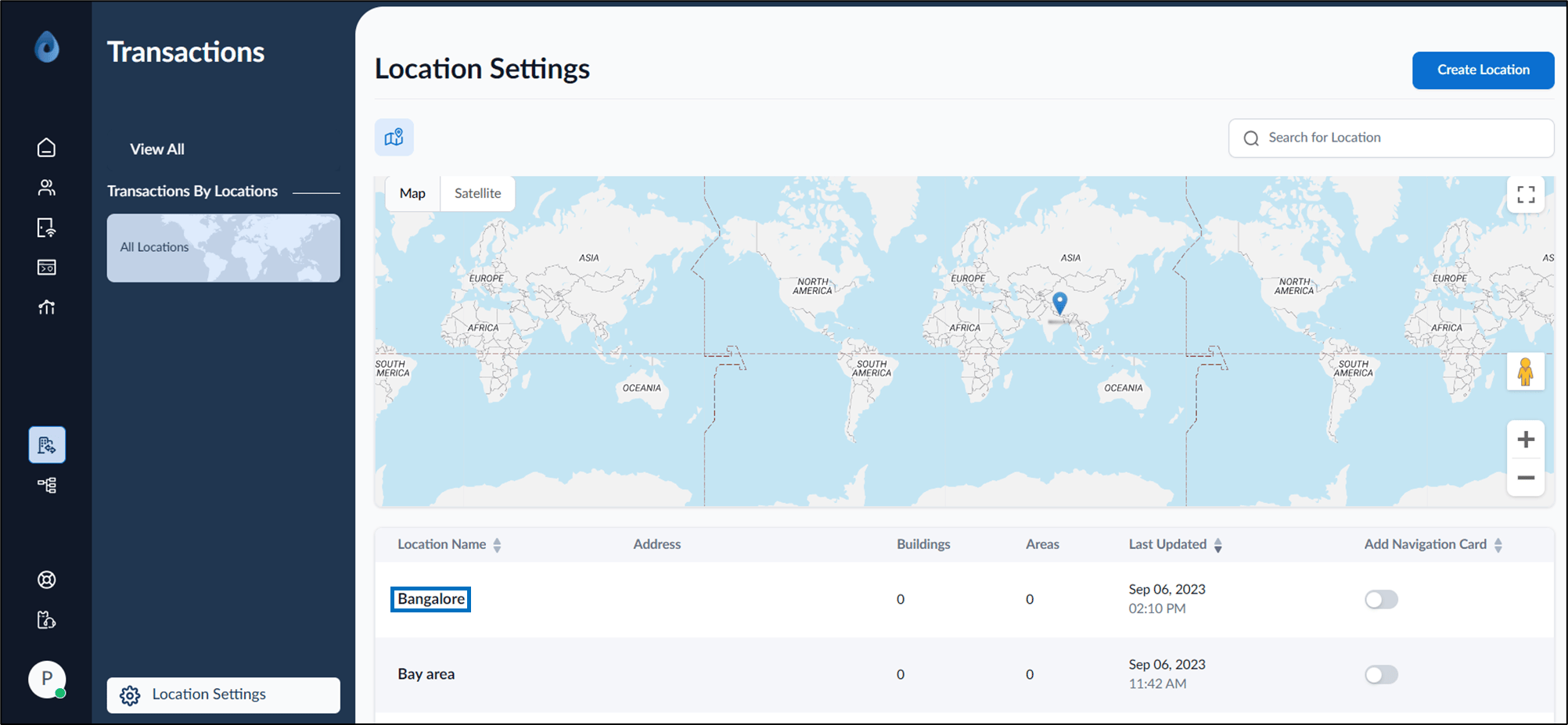
- Click Location Settings at the bottom of the left menu panel. The Location Settings page is displayed.
- Select location name from the listed locations.
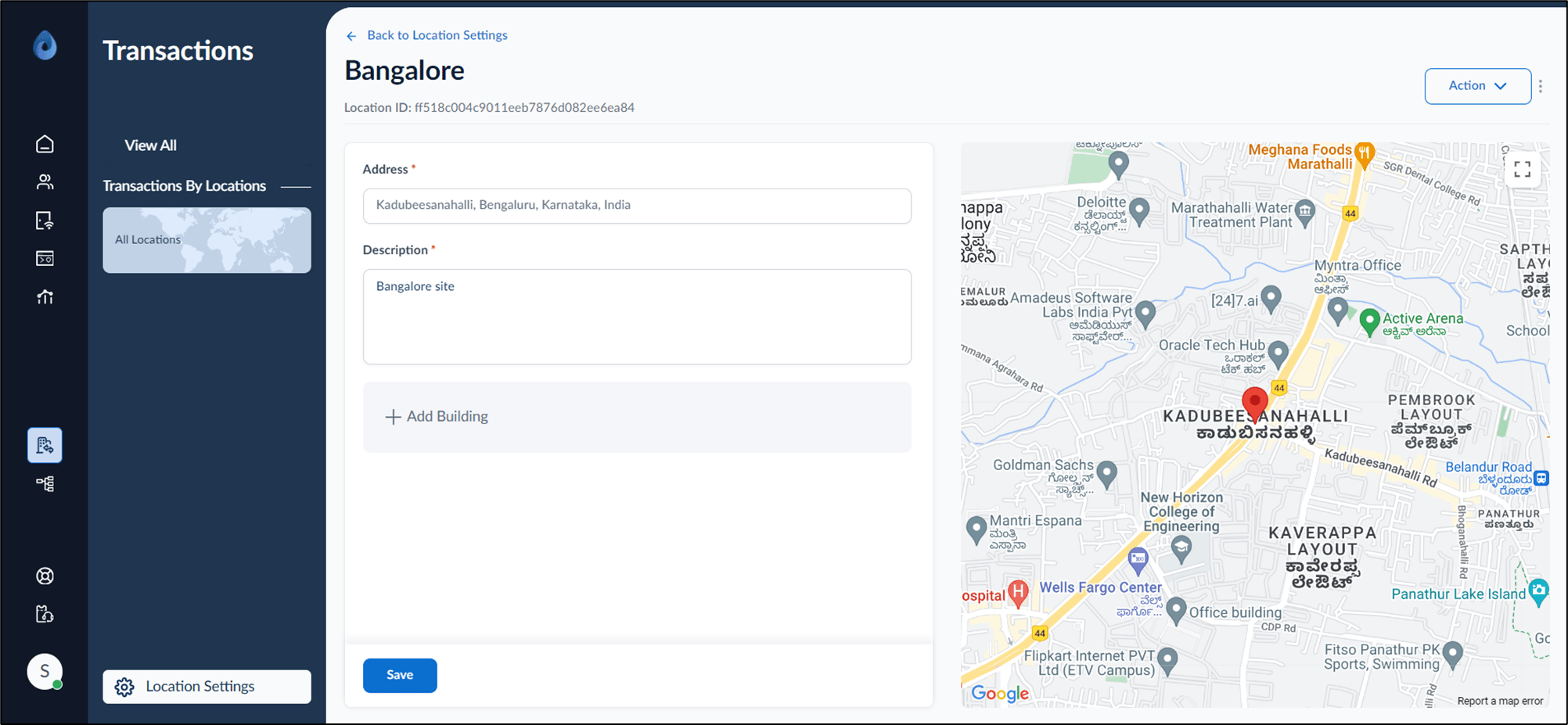
- Enter Address.
- Enter Description.
- Select + Add Building to enter Building Name (Optional).
- Click Save.
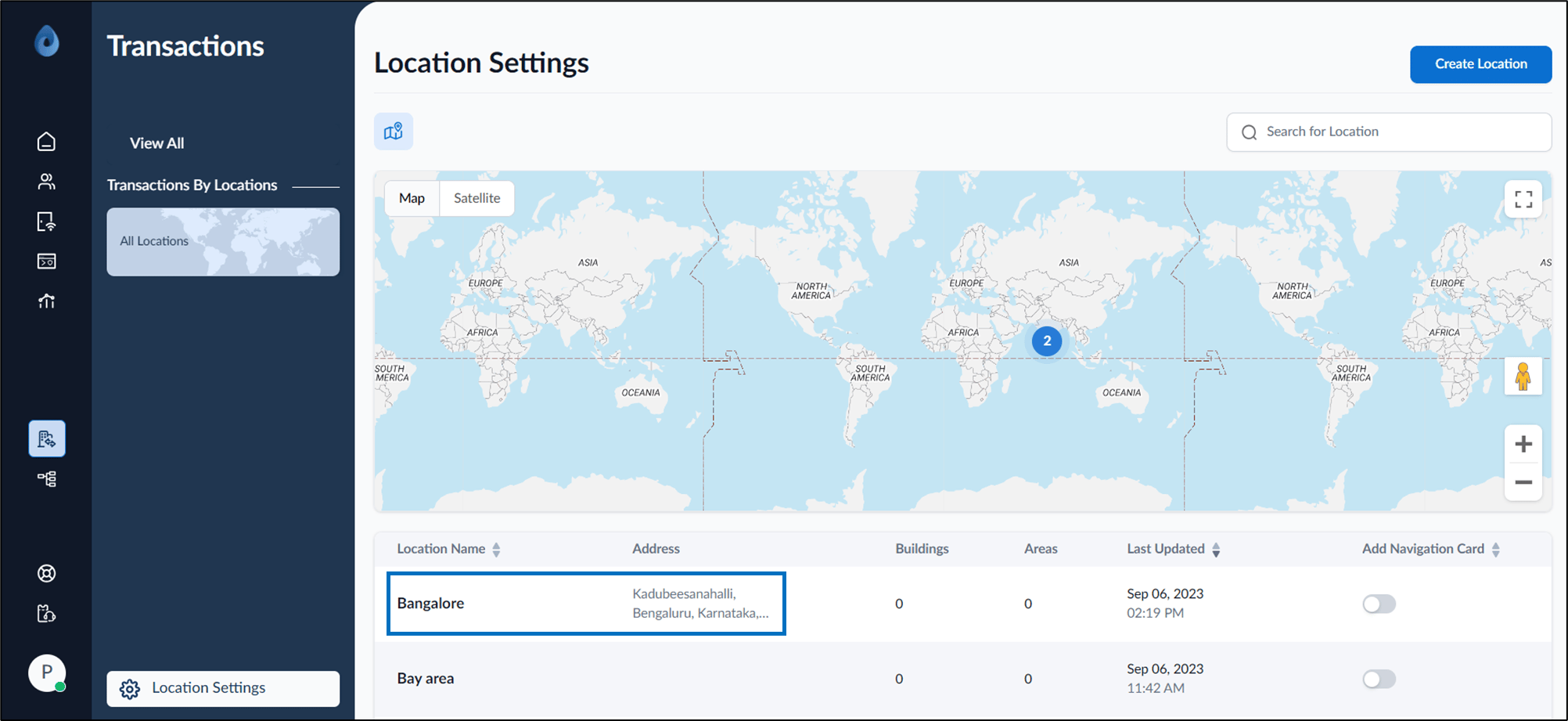
The location address is updated.
How to add location details
This document provides step-by-step instructions to add new location details in the Oloid Portal.
Steps to add location details:
⌘I