

Create Password for local windows machine
To create Password:- Log in to the Tenant Admin Portal.
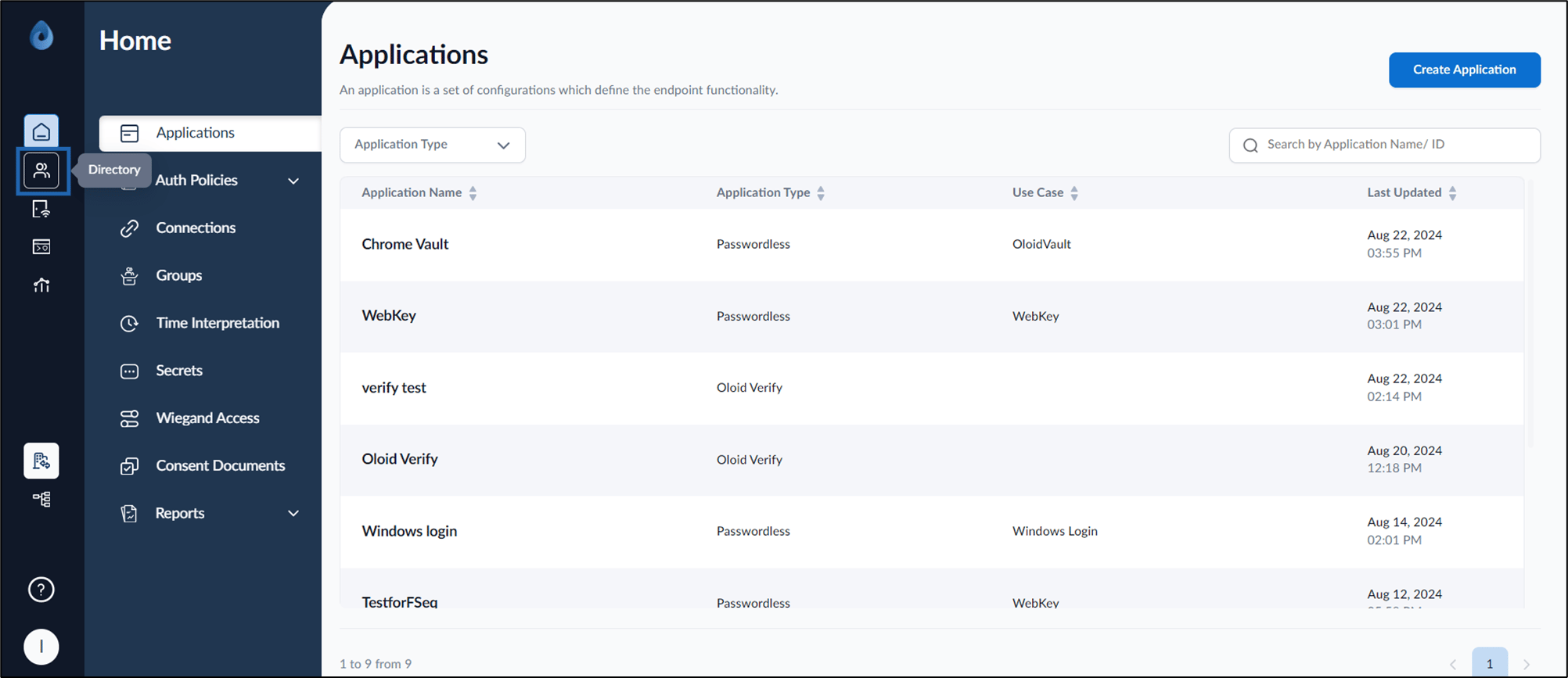
- On the home page of the portal, click Directory on the left menu panel.
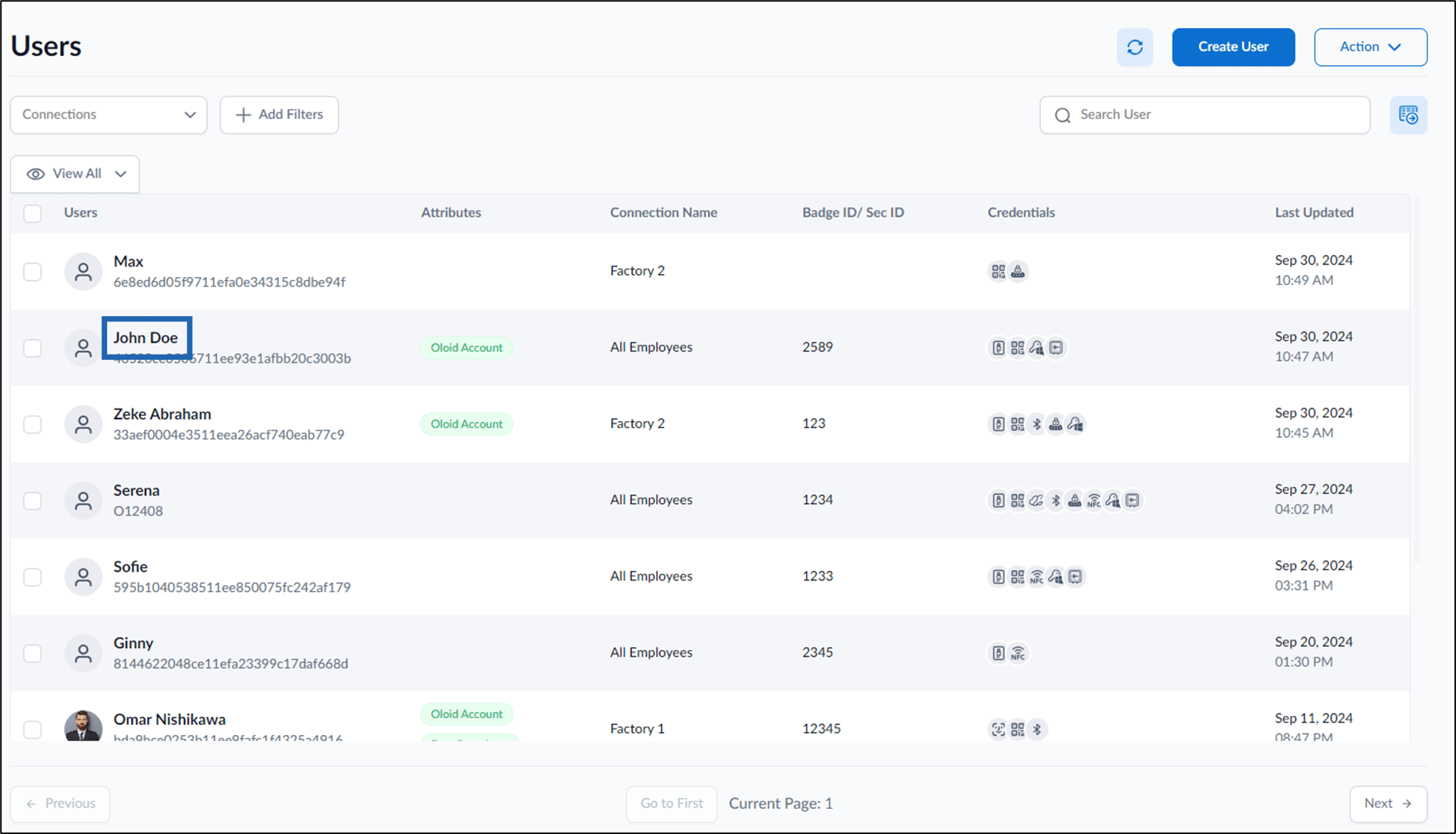
- Click User Name to edit.

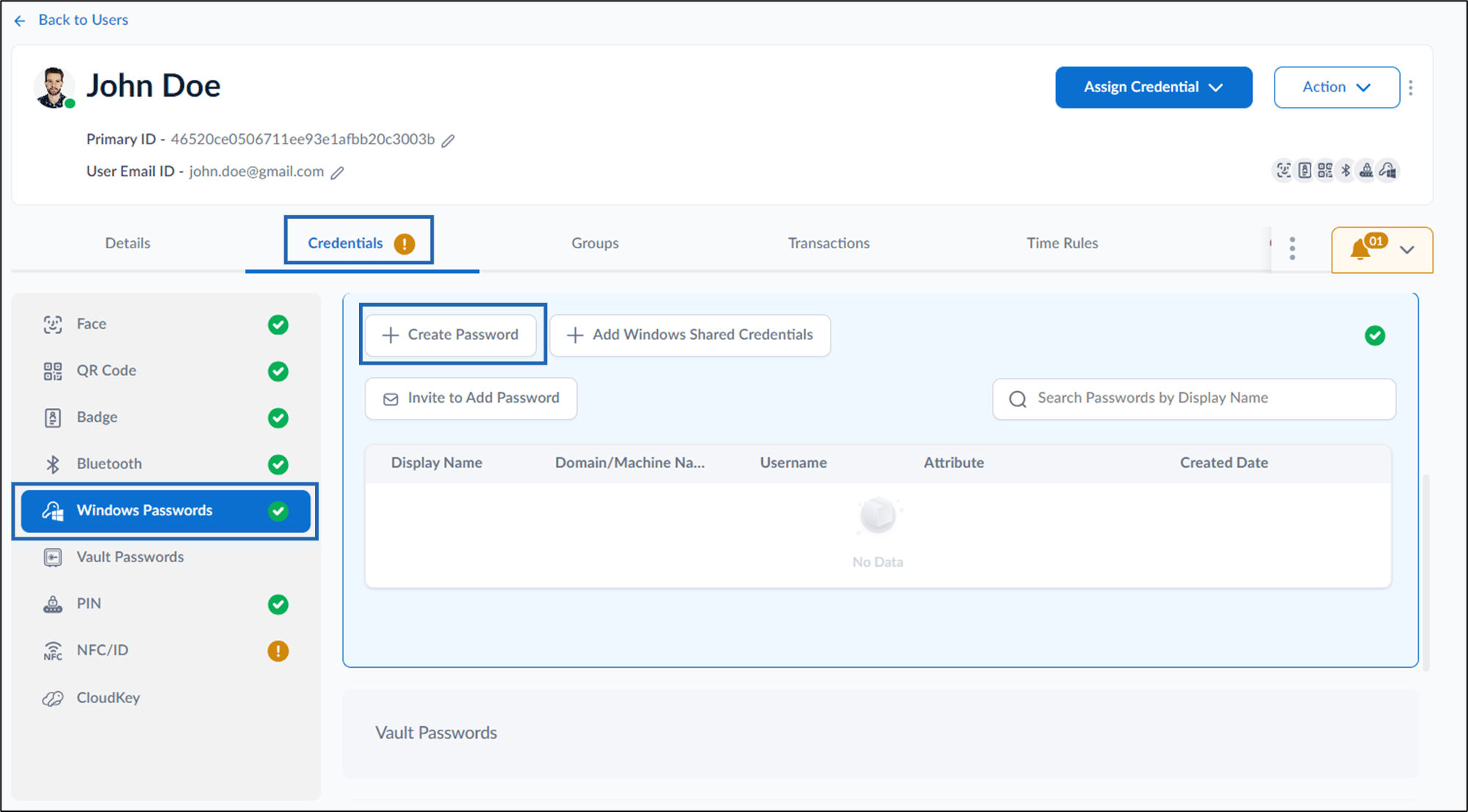
- Go to Credentials tab > Windows Password > + Create Password.
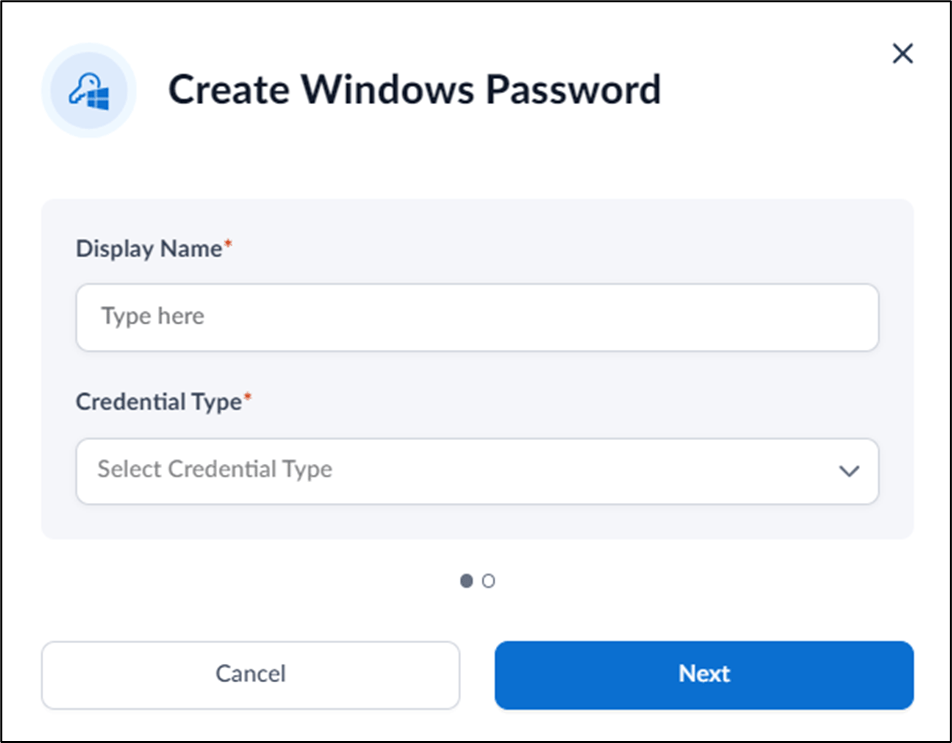
- Do the following:
- Enter Display Name that displays on the Windows Login page.
- Select Windows Local User type from Credential Type dropdown list.
-
Click Next.
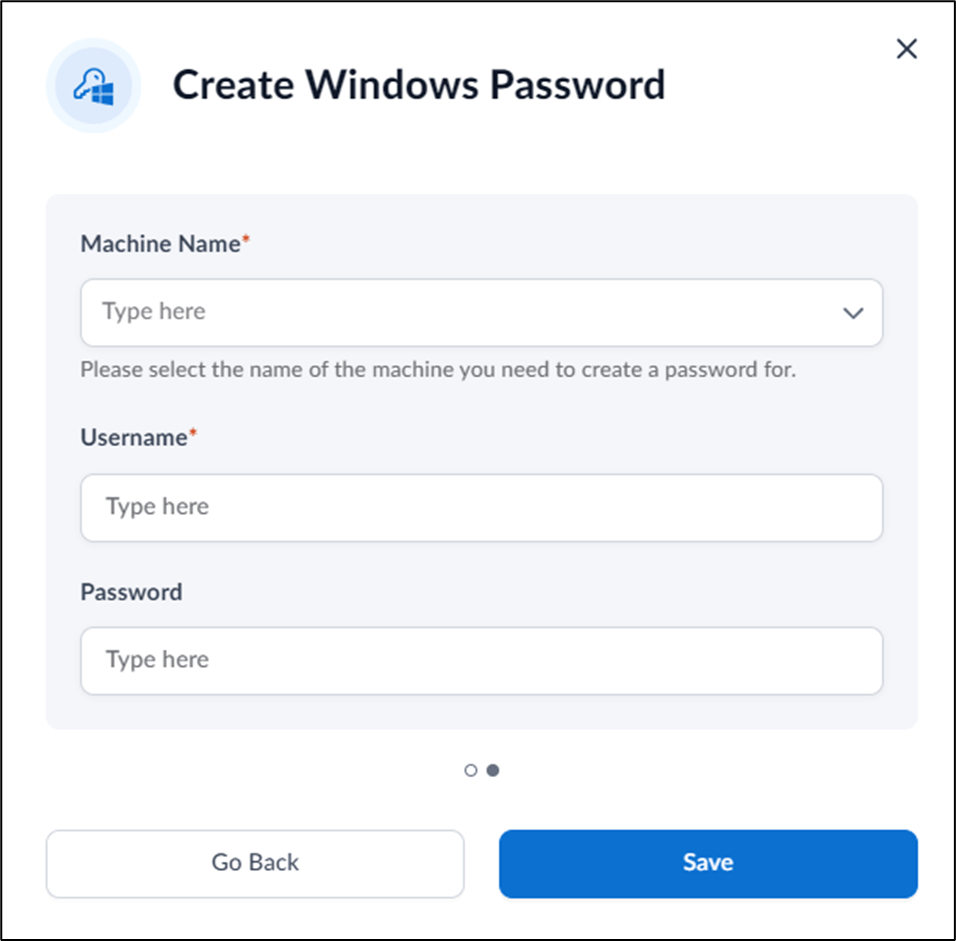
-
Enter Machine Name.
Note: Enter your Windows device name.
-
Enter Username of your Windows Login.
Note: Username should be your Windows account name..
- Enter Password of your Windows Login.
-
Click Save.
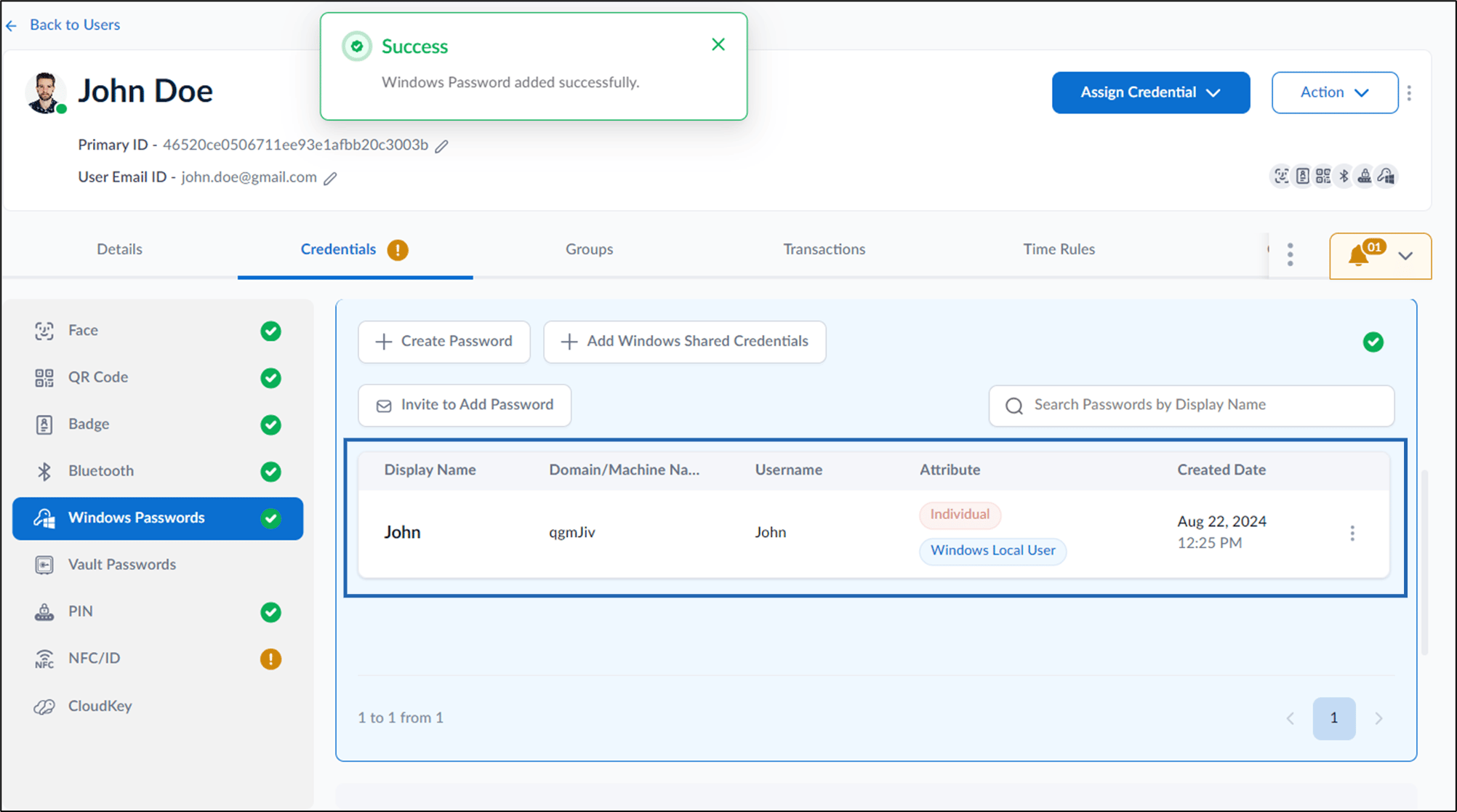
The password is created and listed in the Windows Passwords tab.
Create Password for domain
- Log in to the Tenant Admin Portal.
- On the home page of the portal, click Directory on the left menu panel.

- Click User Name to edit.

- Go to Credentials tab> Windows Passwords > Create Password.

- Do the following:
- Enter Display Name that displays on the Windows Login page.
- Select Windows Domain User type from Credential Type dropdown list.
-
Click Next.
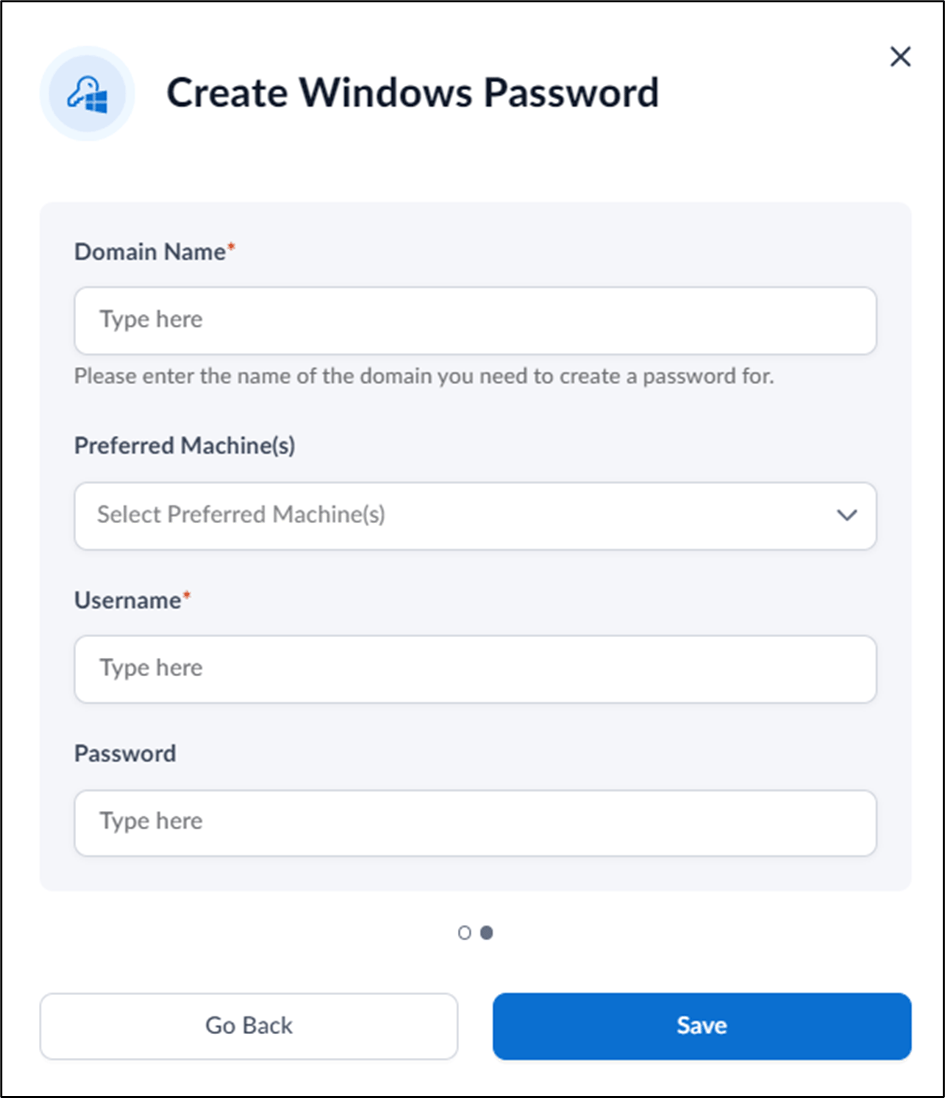
- Enter Domain Name.
- Select Preferred Machine from the Preferred Machine(s) list.
-
Enter Username of your Windows Login.
Note: Username should be your Windows account name.
- Enter Password of your Windows Login.
-
Click Save.
The password is created and listed in the Windows Passwords tab.
